
20. Filters
Filters give us the ability to alter colors based on a specific algorithm. We can apply it to elements or images.
Essentials
Blur
.elemento {
  filter: blur(5px);
}
Original

Blur
Brightness
.elemento {
  filter: brightness(2);
}
Original
Brightness
Contrast
.elemento {
  filter: contrast(200%);
}
Original
Contrast
Image shadow
It only works with SVGs.
x position, y position, blur, and color.
.elemento {
  filter: drop-shadow(30px 10px 4px green);
}
Original
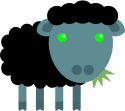
Drop-shadow
Grayscale or convert to black and white
.elemento {
  filter: grayscale(100%);
}
Original
Grayscale
Color rotation of the HSL model
.elemento {
  filter: hue-rotate(90deg);
}:quality(85)/https://andros.dev/static/img/courses/css/16/hue.png)
Image obtained from Stackoverflow where you will also find a complete explanation.
Original
Hue-rotate
Invert
.elemento {
  filter: invert(100%);
}
Original
Invert
Transparency
.elemento {
  filter: opacity(50%);
}
Original
Opacity
Saturation
.elemento {
  filter: saturate(50%);
}
Original
Saturate
Sepia
.elemento {
  filter: sepia(100%);
}
Original
Sepia
Multiple filters
filter: contrast(175%) brightness(3%);Activity 1
Show an image. When the cursor is over it, add a filter that converts it to grayscale (black and white).
Activity 2
Show the image of a skeleton. When the cursor is over it, add a filter that inverts its colors, giving it an X-ray look.
This work is under a Attribution-NonCommercial-NoDerivatives 4.0 International license.
:quality(85)/https://andros.dev/static/img/components/license/by-nc-nd.png)
Desafíos de programación atemporales y multiparadigmáticos
Te encuentras ante un librillo de actividades, divididas en 2 niveles de dificultad. Te enfrentarás a los casos más comunes que te puedes encontrar en pruebas técnicas o aprender conceptos elementales de programación.
Buy the book Sure, it's on me!
Comments
There are no comments yet.